
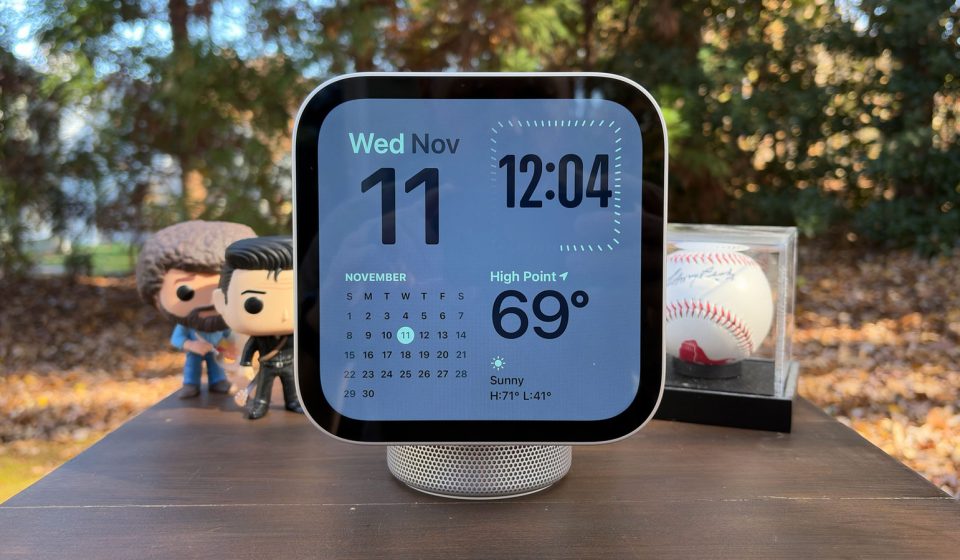
The HomeView’s speakers make it a solid option for music, podcasts, and other audio entertainment. But despite its sharp and vivid display, the device is not suitable for watching videos. That’s okay, because right now the only video app available on HomeView is Apple TV. And unless you like watching your shows in a thin strip in the middle of a square screen, flanked by thick black bars at the top and bottom, you’ll also find the video experience on HomeView disappointing. I would love to see Apple bring the F1 multiview to this screen, placing two small alternate feeds below the main broadcast. Yes, they would be tiny, but at least it would make better use of space and eliminate the annoying black bars.
HomeView runs on the same platform as CarPlay, which is why the various video streaming apps you have on your iPhone don’t appear on that device. Apple says third-party developers are welcome to enable their apps to use on HomeView, but that would also mean optimizing them for CarPlay. Only time will tell if the developers will take the extra steps necessary to achieve this.
However, when it comes to audio-only content, HomeView is great. I would rank the sound quality here as the midpoint between the HomePod mini and the larger HomePod. I reviewed the tabletop HomeView with a base, so I appreciated the additional woofer and passive radiators, which balance the full-range speakers with additional bass. Across a variety of genres, the bass is tight and punchy, and vocals cut through the mix clearly. The system never loses other instruments either, as you can easily recover the guitars in Anberlin’s “Gravity”. Switch to something cooler, like Sam Barber’s “If I May,” and the acoustic instruments provide the foundation for the singer’s unique voice. The drums are more discreet here, and HomeView does well to keep them from dominating the mix.
I should also note that HomeView can get pretty damn noisy. I measured 87 dB with my Apple Watch right in front of the device. But I should also warn you that this isn’t a comfortable listening volume if you’re standing close to the screen. This might be nice for a party, but you’ll probably stay around 50 percent or less for most.
Spatial Audio with Dolby Atmos is available on HomeView for compatible music, movies, and shows. However, given the unit’s compact size and limited sonic prowess, you’re more likely to notice the excellent overall clarity and fair tuning than any dimensional effects. While watching an episode of Masters of the Air, for example, I found the sound to be perfectly good, but I wouldn’t call it very immersive.
Apple has included a few additional entertainment-related conveniences on HomeView that add utilities. For one, it works with compatible HomePod, HomePod mini, and AirPlay speakers for multiroom audio, letting you play the same thing everywhere or choose specific songs for each room. When you listen to songs from Apple Music, you’ll see animated album art if an artist has it, and the lyrics are available with a single click. And just like you can do with your iPhone and HomePod speakers, you can transfer content from your phone to HomeView simply by holding your handset in front of the screen.
Gn tech