
First look: A major Windows 11 search overhaul is coming, and it changes your settings for you

At today’s Windows event, Microsoft confirmed that a new Windows Search is coming to all PCs later this year, and that it’s been built from the ground up. It offers faster results and thousands of quick actions. According to Microsoft, you’ll be able to change settings, take screenshots, arrange windows, and even send a text message right from the taskbar.
“At its core, the new Windows Search experience is faster and more efficient, helping you find your apps, settings and files faster,” Davuluri said.
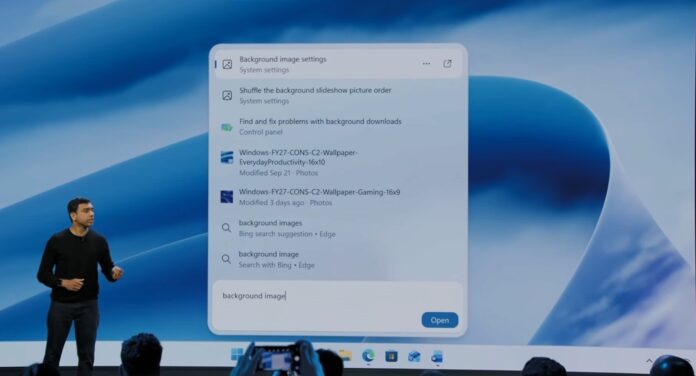
As you can see in the screenshot above, the new search uses a vertical panel with rounded corners. The search box is at the bottom of the drop-down menu, while the results are stacked above in a single list.
In Microsoft’s demo, searching for “background image” brought up the background image settings first, followed by a slideshow setting, a Control Panel troubleshooter, and local image files.
Each result has a smaller label underneath it, such as “System Settings,” “Control Panel,” or “Photos,” which helps you understand what you’re about to open. Image files also indicate when they have been modified and there is an Open button in the lower right corner for the selected result.
And yes, Bing is still there. The same screenshot includes the entries “Bing · Edge search suggestion” and “Search with Bing · Edge” under local results.
Windows 11 Search can change settings directly from results
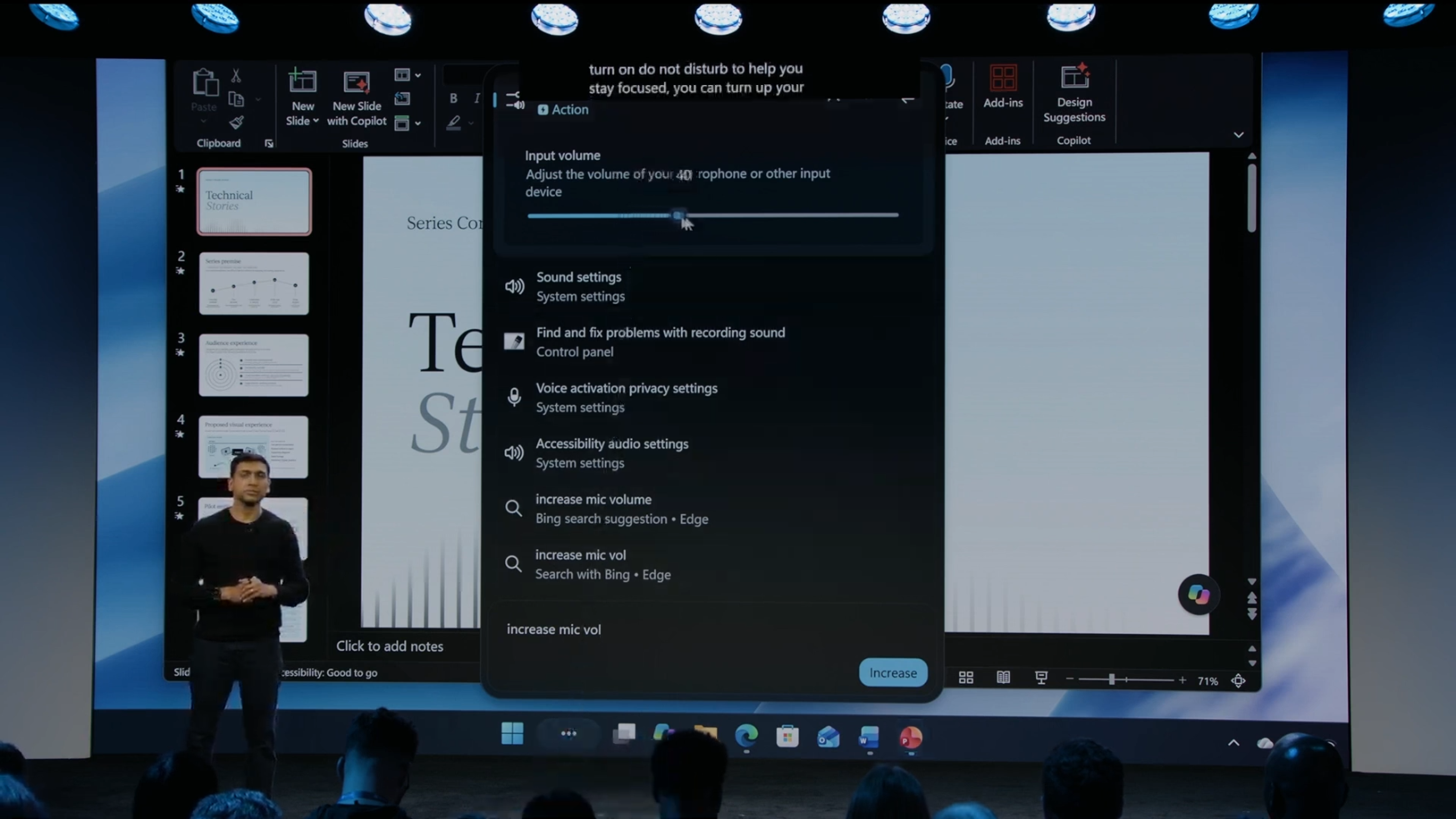
Microsoft displayed a search for “increase mic volume,” which brought up an input volume slider at the top of the results. You can adjust the microphone level directly here, with links to sound settings and other related options listed below.
“You can increase the volume on your mic, then use the in-line slider to reach the exact level you want,” Davuluri explained.
I think this is one of the most useful changes presented at the event. If someone says they can barely hear you during a call, you can find the microphone control and adjust it in the same panel, without going through the settings.
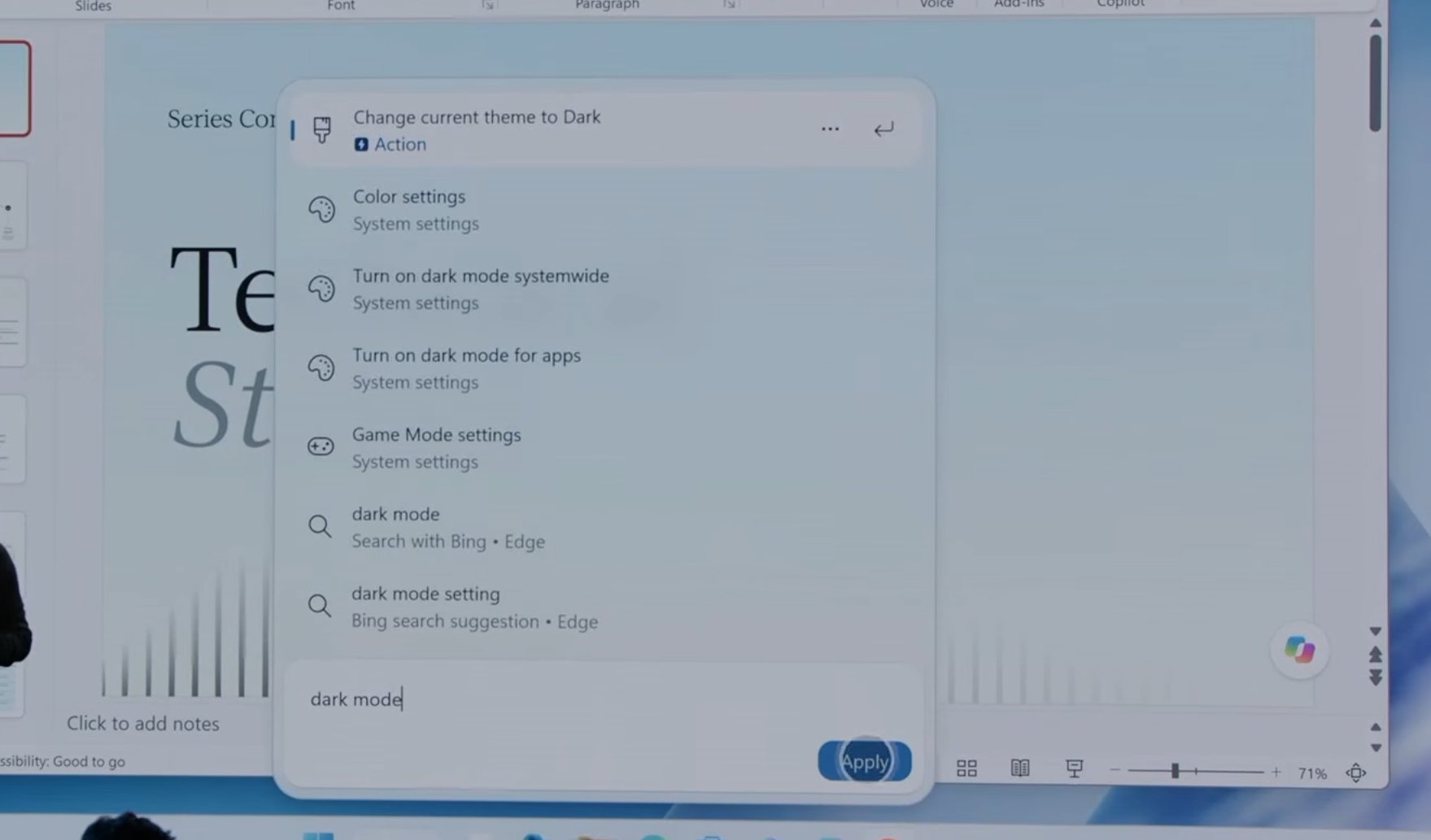
Microsoft says you’ll also be able to switch to dark mode or enable Do Not Disturb directly from Search. This means you can type what you want to edit without having to remember where its toggle is.
Microsoft says Search will let you take a screenshot and organize your open windows, all from the taskbar.
You can even send a text message from Windows Search
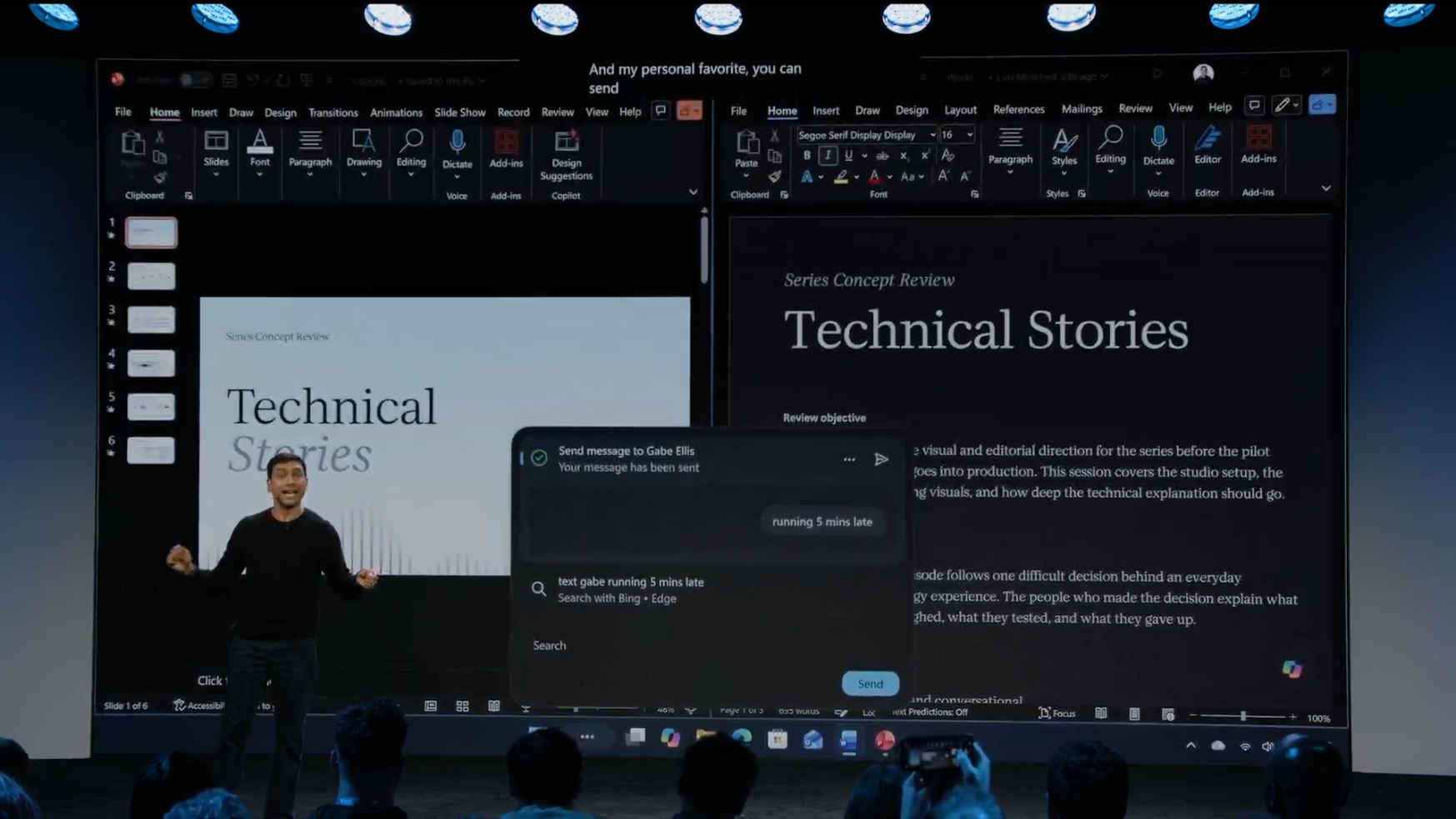
Another demo showed a text message saying “5 minutes late” in the search panel, with Word and PowerPoint open behind it.
Davuluri described messaging as her personal favorite, explaining that you can text a friend or co-worker to let them know you’re late without taking your phone out of your pocket.
This is a developing story…
Gn tech