Skip to content
-
Subscribe to our newsletter & never miss our best posts. Subscribe Now!
Today's News. Tomorrow's Perspective. Today's News. Tomorrow's Perspective.

Deliver fast, factual, and easy-to-understand news covering global events, technology, business, science, AI, health, entertainment, and lifestyle.

Today's News. Tomorrow's Perspective. Today's News. Tomorrow's Perspective.

Deliver fast, factual, and easy-to-understand news covering global events, technology, business, science, AI, health, entertainment, and lifestyle.

  • Home
  • Breaking News
  • Business
  • Sports
  • Health
  • Politics
  • Technology & AI
  • World
  • Home
  • Breaking News
  • Business
  • Sports
  • Health
  • Politics
  • Technology & AI
  • World
Close

Search

Subscribe
GTA 6: Why is it too dark? Here's how to fix HDR settings
Technology & AI

GTA 6: Why is it too dark? Here’s how to fix HDR settings

ment
By ment
November 22, 2026 3 Min Read
Comments Off on GTA 6: Why is it too dark? Here’s how to fix HDR settings

Does GTA 6 look too dark? This is a problem that many players experience, and it’s not necessarily your fault. This is because the game’s HDR calibration tool may not work as expected. So in this GTA 6 guidewe’ll tell you how to fix HDR settings so your game looks good.

On this page: GTA 6: Why is it too dark? Here’s how to fix HDR settings

  1. 1.Why does GTA 6 look too dark?
  2. 2.How to Fix GTA 6 HDR
    1. 2.1.Recommended HDR calibration settings
    2. 2.2.Do these settings work on all TVs?

Why does GTA 6 look too dark?

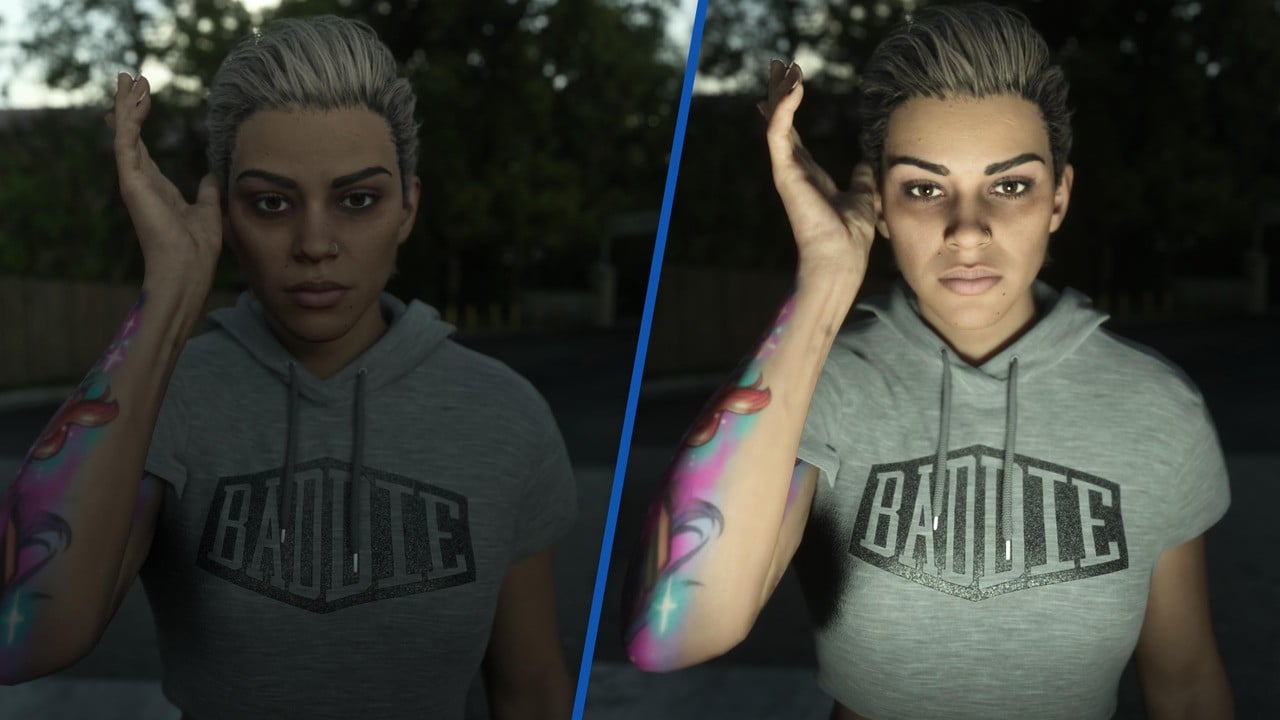
GTA 6 too dark? Here's how to fix it on PS5 1

If you’re playing GTA 6 and find it’s too dark, there’s a good chance your HDR calibration is wrong.

An in-depth research video by HDTV Test – performed on an expensive Sony reference monitor – reveals that the game’s HDR calibration may not be working as expected.

So even if you followed the steps perfectly by setting your values ​​until the Rockstar logo is barely visible as shown, it may not display optimally in your game.

I recommend watching HDTV Test’s video for a full scientific analysis, but in short it explains that different values ​​of HDR calibration settings appear unexpectedly in-game.

Additionally, the Rockstar version completely ignores Sony’s global PS5 HDR settings, so even if those are perfectly calibrated for your particular display, it won’t help you here.

How to Fix GTA 6 HDR

While it’s possible to fix GTA 6’s HDR with a few tweaks, keep in mind that your optimal personal settings will depend on your screen, your room, and your preferred ambient lighting.

First of allload the game and press Possibilities > Settings > Display > HDR Calibration:
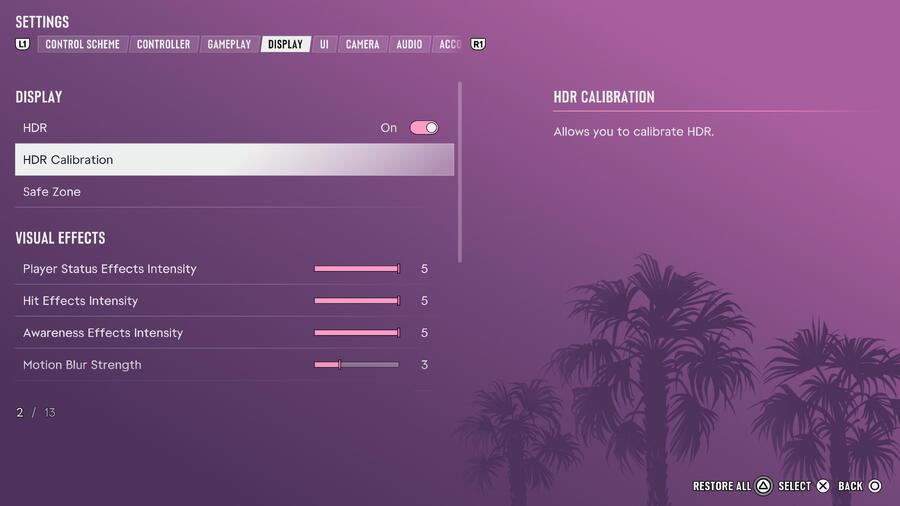
GTA 6 too dark? Here's how to fix it on PS5 2

HDTV Test recommends ignoring Rockstar’s brightness calibration, so don’t worry too much about whether or not the company’s iconic logo is visible.

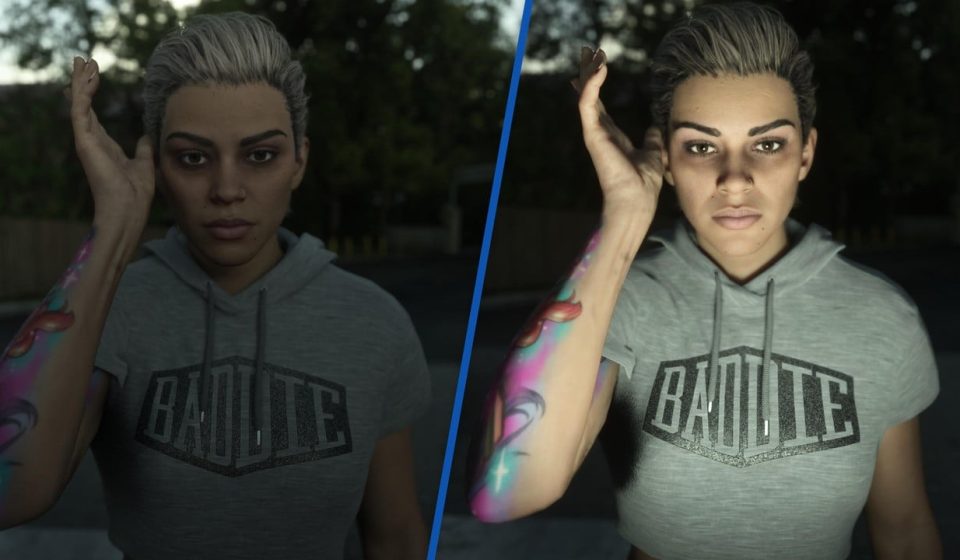
Instead, focus on the two sample images from the boat party, which you can switch between light and dark using R1.
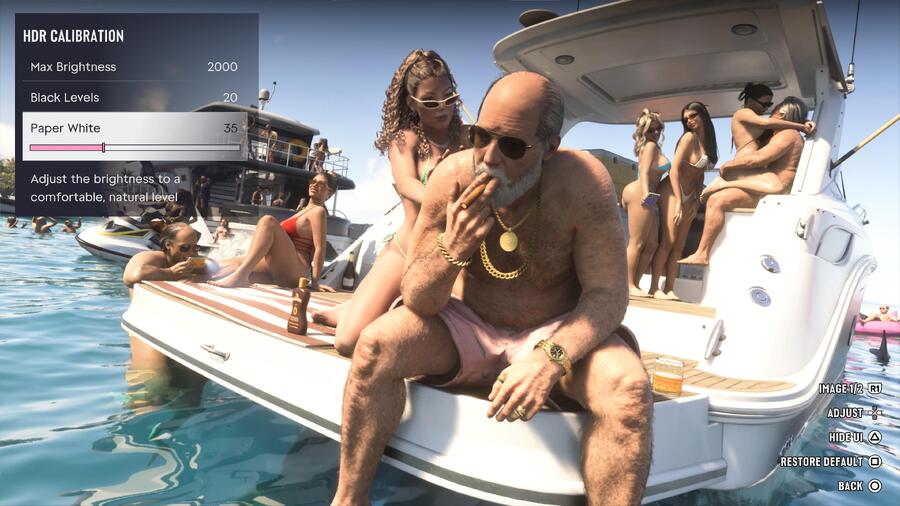
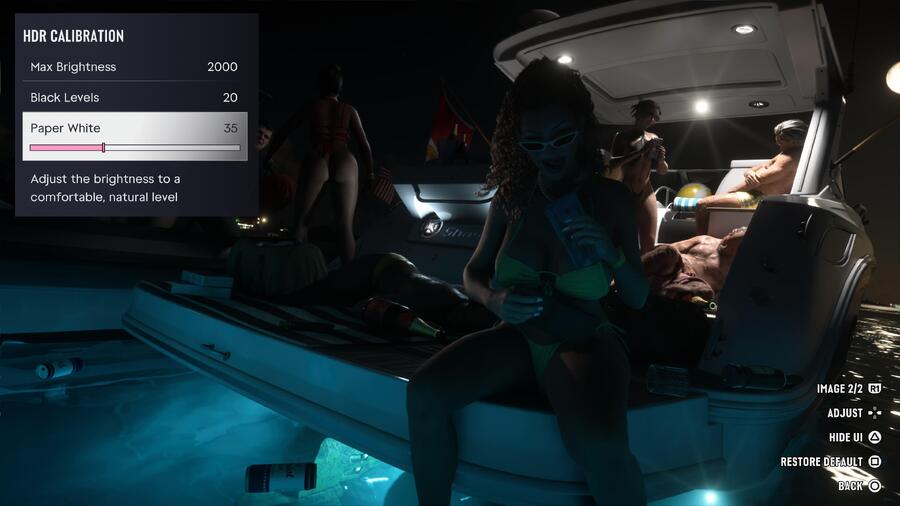
GTA 6 too dark? Here's how to fix it on PS5 3
GTA 6 too dark? Here's how to fix it on PS5 4

Recommended HDR calibration settings

These are the recommended starting settings for a display capable of 1000 nits or more:

Brightness
2,000
Black Levels
20
White Paper
35

Do these settings work on all TVs?

NoThis is just a starting point and you will need to adjust the settings above to your liking.

Your own optimal HDR calibration settings will depend on your environment and screen, so fiddle with them until you get an image that works for you.


Did you find this guide on how to fix GTA 6 HDR settings useful at all? Take a look at our GTA 6 guide to find out more, and let me know in the comments section below.

Gn tech

Views: 4
ment
Author

ment

**Ment** is a journalist at dailyvoxa.com, covering current events and sharing clear, reliable stories with readers. He is committed to thoughtful reporting and making important news accessible to a broad audience.

Follow Me
Other Articles
Person dies after chase ends in North Charleston crash
Previous

Person dies after chase ends in North Charleston crash

Scott Bessent refuses to rule out Jensen Huang returning to Nvidia
Next

Scott Bessent refuses to rule out Jensen Huang returning to Nvidia

Deliver fast, factual, and easy-to-understand news covering global events, technology, business, science, AI, health, entertainment, and lifestyle.
  • About Us
  • Accessibility Statement
  • Advertise With Us
  • AI Usage & Transparency Policy
  • Contact us
  • Cookie Policy
  • Corrections Policy
  • Meet Our Team
  • Privacy Policy
    • Disclaimer
    • DMCA & Copyright Policy
    • Editorial Policy
    • Ethics Policy
    • Fact-Checking Policy
  • Terms and Conditions
Copyright 2026 β€” Today's News. Tomorrow's Perspective.. All rights reserved.