
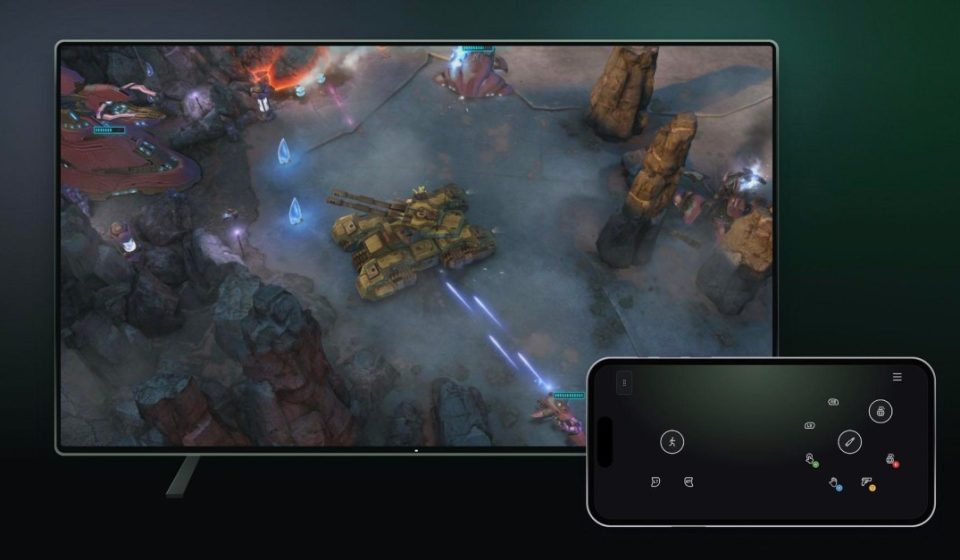
I revealed yesterday that the new Xbox Nano controller supports a Wi-Fi connection directly to Xbox Cloud Gaming, and now Microsoft is making it official today. Two new Xbox previews will let players try using a phone as a controller on smart TVs, as well as Connect to the Cloud on the Xbox Nano to connect directly to cloud servers.
“Instead of a Bluetooth connection to your TV, Cloud Connect uses your Wi-Fi to connect you directly to the cloud server running your game,” explains the Xbox team. “This can help reduce input latency, so gameplay can feel more responsive.”
US gamers will be able to preview the new cloud connection option for the Xbox Nano controller starting today. If you’re not in the US, you’ll be able to preview a new phone controller option on smart TVs. The controller is available on the Xbox Cloud Gaming website, allowing users to use the streaming service without a dedicated Bluetooth controller.
Microsoft says that “both experiences are still in testing” and that “availability and supported games or devices may be limited” during this beta phase. You’ll need to use the Xbox beta app for Android or the Xbox Accessories app on PC to set up cloud connectivity on the Nano controller, and the TV smartphone controller simply requires a preview features toggle in the Settings > Account section of Xbox Cloud Gaming.
Gn tech