Skip to content
-
Subscribe to our newsletter & never miss our best posts. Subscribe Now!
Today's News. Tomorrow's Perspective. Today's News. Tomorrow's Perspective.

Deliver fast, factual, and easy-to-understand news covering global events, technology, business, science, AI, health, entertainment, and lifestyle.

Today's News. Tomorrow's Perspective. Today's News. Tomorrow's Perspective.

Deliver fast, factual, and easy-to-understand news covering global events, technology, business, science, AI, health, entertainment, and lifestyle.

  • Home
  • Breaking News
  • Business
  • Sports
  • Health
  • Politics
  • Technology & AI
  • World
  • Home
  • Breaking News
  • Business
  • Sports
  • Health
  • Politics
  • Technology & AI
  • World
Close

Search

  • https://www.facebook.com/
  • https://twitter.com/
  • https://t.me/
  • https://www.instagram.com/
  • https://youtube.com/
Subscribe
If you see this new Google Chrome pop-up, close the tab immediately
Technology & AI

If you see this new Google Chrome pop-up, close the tab immediately

By adminvoxa
October 25, 2026 4 Min Read
Comments Off on If you see this new Google Chrome pop-up, close the tab immediately

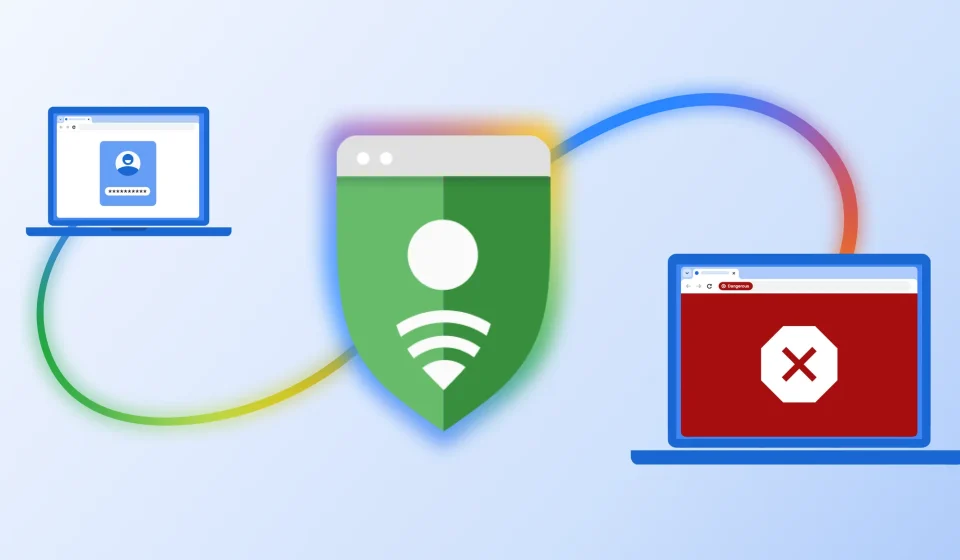
Google is making Chrome more secure, both on desktop and Android phones. The company is rolling out an update that will warn users about suspicious and dangerous sites.

New pop-up warns Chrome users about malicious sites

Google has updated its Chrome security mechanisms on desktop and mobile. | Image from Google - If you see this new Google Chrome pop-up, close the tab immediatelyGoogle has updated its Chrome security mechanisms on desktop and mobile. | Image from Google - If you see this new Google Chrome pop-up, close the tab immediately

Google has updated its Chrome security mechanisms on desktop and mobile. | Image from Google

Google announced in a blog post stating that the company has improved the security of its Chrome browser on desktop and mobile. The browser will display a pop-up warning if you head to a suspicious or unsafe website. Don’t ignore it!

There are two types of warnings in Chrome when Enhanced Protection mode is enabled in Safe Browsing settings:

  • Suspicious sites (lower trust verdict, possible risk of user harm)
  • Unsafe sites (high trust verdict, high risk of harm to users)

This site doesn’t seem correct

Go through these sites carefully, better close them and exit. | Image from Google - If you see this new Google Chrome pop-up, close the tab immediatelyGo through these sites carefully, better close them and exit. | Image from Google - If you see this new Google Chrome pop-up, close the tab immediately

Go through these sites carefully, better close them and exit. | Image from Google

If you see this one, you are in no immediate danger, but the site you are trying to visit exhibits suspicious behavior normally associated with scam websites and other malicious places on the Internet. The iconography and user interface of this warning is different from the “dangerous site” pop-up, and you have the option to mark the site as “safe” or close the site and get out of there.

Dangerous site!

This one is serious! Get out of there immediately! | Image from Google - If you see this new Google Chrome pop-up, close the tab immediatelyThis one is serious! Get out of there immediately! | Image from Google - If you see this new Google Chrome pop-up, close the tab immediately

This one is serious! Get out of there immediately! | Image from Google

This one is serious, and if you see it on your PC or phone screen, you should close the site immediately. The overall color scheme and look of the UI is also quite spooky, with a bright red background and the option to “Return to Safety”.

If you tap “Details”, you can still choose to visit the site, but I don’t recommend it because Google has very good tools for categorizing these threats.

These updated warnings are already rolling out to Chrome for desktop and Android, but you need to enable Enhanced Protection mode in the Safe Browsing settings.

How to enable enhanced protection mode in Chrome

You need to enable Enhanced Protection Mode in Chrome for these new pop-ups to work. | Image from Android Central – If you see this new Google Chrome pop-up, close the tab immediatelyYou need to enable Enhanced Protection Mode in Chrome for these new pop-ups to work. | Image from Android Central – If you see this new Google Chrome pop-up, close the tab immediately

You need to enable Enhanced Protection Mode in Chrome for these new pop-ups to work. | Image from Android Central

For these new updates to work, you need to enable enhanced protection mode in Chrome. The feature is available on desktop and mobile versions of Chrome. Here’s how to do it:

On computer (Windows, Mac or Linux)

  1. Open Google Chrome.
  2. Click the three vertical dots in the upper right corner and select Settings.
  3. Click Privacy & Security in the left sidebar, then click Security.
  4. In the Safe Browsing section, select Enhanced Protection.

On mobile (Android or iPhone/iPad)

  1. Open the Google Chrome app.
  2. Tap the three dots (More menu) and go to Settings.
  3. Tap Privacy & Security, then Safe Browsing.
  4. Select Enhanced Protection.

Optional: enable it for your Google account

You can also sync this protection with your broader account through your Google account security settings:

  1. Access your Google account.
  2. Tap Security & Login (or Security).
  3. Scroll down to Enhanced Safe Browsing for your account and enable it.

Gemini to the rescue

Google has moved to server-side Gemini models, which are much more powerful at detecting scams. | Image from Google - If you see this new Google Chrome pop-up, close the tab immediatelyGoogle has moved to server-side Gemini models, which are much more powerful at detecting scams. | Image from Google - If you see this new Google Chrome pop-up, close the tab immediately

Google has moved to server-side Gemini models, which are much more powerful at detecting scams. | Image from Google

Google is also expanding its on-device Gemini integration and scam protection to tech support — you know, when you get a call from a scammer pretending to be a legitimate service.

Now, LLM-assisted detection will be able to detect a wide range of threats, from fake antivirus pop-ups to browser update scams. The company is moving toward a more powerful server-side Gemini model that can evaluate entire web pages and decide whether a site is a legitimate brand, website or service — or a scam.

Have you ever seen one of the new pop-ups on your desktop or mobile screen? Share your experience in the comments section below and stay safe.

Read more smartphone security news here:

Tello Halloween Promo: $10 Go for $10/month
If you see this new Google Chrome pop-up, close the tab immediately

Tello Halloween Promo: $10 Go for $10/month

Don’t miss this scary deal: 10 GB for $10/month. Save $5/month for your first 3 months. Offer valid until November 9, 2026.

Grab this offer

Read the latest news from Mariyan Slavov

Gn tech

Post Views: 5
Author

adminvoxa

Follow Me
Other Articles
Russia steps up electoral influence efforts ahead of midterm elections: NPR
Previous

Russia steps up electoral influence efforts ahead of midterm elections: NPR

Wicker's Alexander Skarsgård and Olivia Colman settle the debate after the internet can't stop asking about the outbursts
Next

Wicker’s Alexander Skarsgård and Olivia Colman settle the debate after the internet can’t stop asking about the outbursts

Deliver fast, factual, and easy-to-understand news covering global events, technology, business, science, AI, health, entertainment, and lifestyle.
  • About Us
  • Accessibility Statement
  • Advertise With Us
  • AI Usage & Transparency Policy
  • Contact us
  • Cookie Policy
  • Corrections Policy
  • Meet Our Team
  • Privacy Policy
    • Disclaimer
    • DMCA & Copyright Policy
    • Editorial Policy
    • Ethics Policy
    • Fact-Checking Policy
  • Terms and Conditions
Copyright 2026 — Today's News. Tomorrow's Perspective.. All rights reserved.