iOS 27’s new CarPlay features are great, but only these iPhones can actually use them

If your iPhone is less than three years old, you’re in luck.

Apple’s iOS 27 update not only brings new features to iPhone users, it also adds many new options to CarPlay for a better in-car experience. The upgrades aren’t huge, but they definitely make CarPlay easier and more enjoyable to use.
For starters, the Now Playing screen finally has a progress bar and a persistent mini player, while navigation apps can share route data with the car. There are also new wallpapers, performance improvements, and the highly anticipated Siri AI right inside your vehicle. But there’s a catch: These features require an iPhone running iOS 27, and even if you have one, you may need one of the newer models to unlock everything possible.
What’s new in CarPlay with iOS 27

A major upgrade to CarPlay with iOS 27 is support for video apps. Until now, CarPlay’s entertainment support has been limited to audio services like Apple Music and Spotify, but drivers can now watch videos on their vehicle’s screen.
This doesn’t mean you can watch a movie while driving. The function detects when the car is moving and, for safety reasons, is only available once the vehicle is parked. If you watch something and start driving, playback automatically switches to audio-only mode until you stop. Still, it’s a good option to have. One thing to keep in mind is that car manufacturers need to implement support for this new feature, which could mean that apps like YouTube or Netflix might not work in your car at the moment.
Audio playback has also been improved, with Now Playing featuring a mini-player that includes album art, playback controls, and a long-awaited progress bar. Simply swipe to move forward or backward in a song or podcast without having to grab your iPhone. Speaking of improvements, Apple says CarPlay has become much more reliable in iOS 27. Not only can you expect a more consistent wireless connection, but also more accurate GPS location reporting.
There are also new wallpapers to choose from and the ability for apps to share route data with your vehicle to include information such as EV charging stops. This allows your vehicle to check arrival times with Google Maps and Apple Maps and suggest preferred locations along the route.
Siri AI is here too, but only if you have the right iPhone
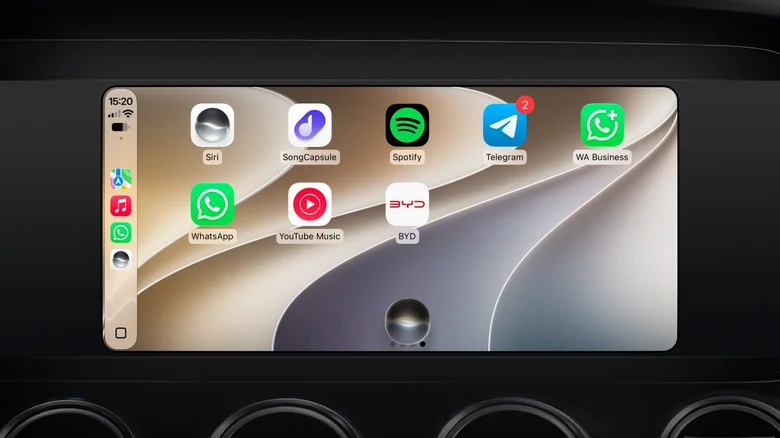
Siri AI, the updated version of Apple’s virtual assistant, is also available in CarPlay with iOS 27. It works much the same as on other Apple devices: it can answer general knowledge questions or even use personal context to find answers in your emails, messages, and calendar. For example, you can ask Siri to get directions to a restaurant that someone recommended to you in a conversation. You can also use more natural language to find directions in Apple Maps, such as asking Siri to avoid tolls on your route.
You can only take advantage of these features if you have an iPhone compatible with Siri AI. This means an iPhone 15 Pro or iPhone 16 or later. Since CarPlay runs entirely on your iPhone, an older iPhone doesn’t have the hardware required to power Siri AI in your car. An iPhone 14 owner, for example, still gets the mini player, progress bar, and new wallpapers, but not the new Siri experience.
Still, you’ll need to update your iPhone to iOS 27 first. The update is available for iPhone 11 and later, so if you own an older iPhone, you’re out of luck. Your CarPlay will continue to work, only with the features it already supports.
Siri AI is also not available in the European Union due to local regulations, so that’s something to keep in mind. If you live in Europe and have a compatible iPhone, you’ll still get the new CarPlay features, but not Siri AI.
If you’ve already prepared and updated your iPhone to iOS 27, it’s worth checking out a few settings that can help improve your CarPlay experience.
Gn tech