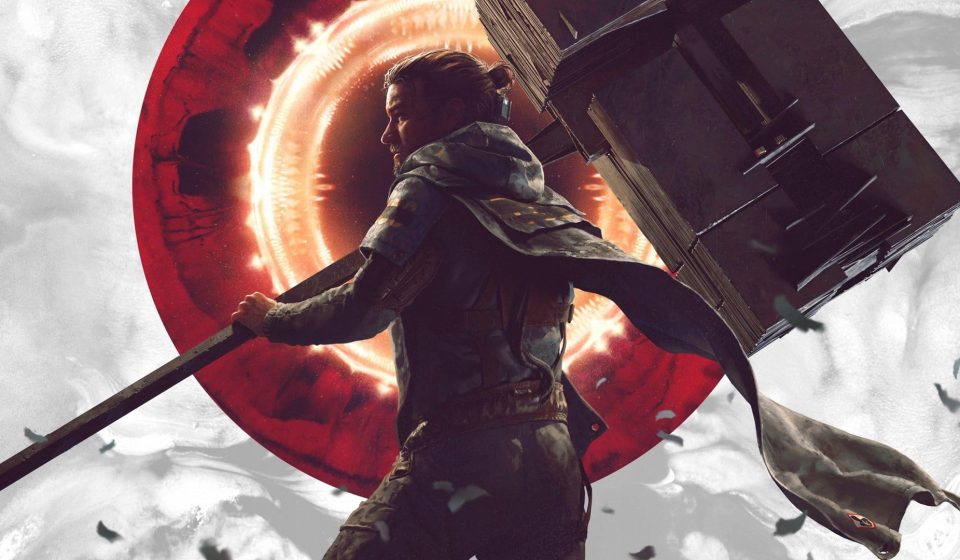

Control Resonant marks a major shift for Remedy and the Northlight engine, fitting into a broader urban environment while relying heavily on lighting, destruction, and physics-based spectacle. The console versions did pretty well from a technical standpoint, but we were really looking forward to the PC version.
Firstly, Remedy is giving the platform the love it deserves and the technical ambition of the engine is scaling impressively. Even without hardware ray tracing, Northlight uses sophisticated indirect lighting and software-traced reflections, while full ray tracing and path tracing setups push visual fidelity much further at a significant performance cost – but the point is that from mainstream gaming PCs you should be able to enjoy a great, generally stutter-free experience.
In terms of available options, there are improvements over Alan Wake 2 – but there is still room for improvement. The spartan menu system is updated with visual overviews of the different quality levels for each setting, as well as descriptions. However, it still lacks dedicated impact indicators for CPU, GPU, and VRAM, and it lacks the option to completely hide the UI during adjustments, allowing you to evaluate settings and performance changes in real time.
Machine learning-based features are expanded for Nvidia with DLSS 4.5 Super Resolution and ray reconstruction available, as well as a legacy CNN DLSS option. We recommend using the Nvidia app to skip these scaling options in favor of DLSS Preset K for a welcome performance boost and low visual impact compared to DLSS 4.5.
The good news is that AMD FSR 4 upscaling and frame generation is included, although unfortunately AMD’s ray regeneration is not supported. Meanwhile, users of Intel’s XeSS technologies (which run on any GPU) are going to be disappointed, with no support for scaling or frame generation. Anti-lag implementations also need attention, as Nvidia Reflex appears to only engage alongside frame generation. This means that in heavy scenarios, frame generation actually provides lower latency than no frame generation. A Reflex toggle is required as well as support for AMD and Intel anti-lag solutions.
Shader compilation is handled cleanly, with no prolonged preloads or severe compilation stutters during playback, although occasional streaming issues remain. On the CPU front, Ryzen 5 5600-class CPUs can dip below 60fps with noticeable frame-time jitter during intense open-area combat with ray tracing enabled. For mainstream CPUs, sticking to the non-ray tracing path provides a much more consistent experience at 60fps+.
|
Optimized General public |
Optimized Improved |
PlayStation 5 performance |
PlayStation 5 quality |
|
|
Upscaler |
Legacy DLSS/K/FSR preset |
DLSS/FSR |
1440p/FRS (approximately balanced) |
2160p/FSR (approximately balanced) |
|
Texture resolution |
Medium (on 8 GB VRAM) |
High |
High |
High |
|
Texture filtering |
Ultra |
Ultra |
AVERAGE |
High |
|
Level of Detail (LOD) |
High |
High |
AVERAGE |
High |
|
Global Lighting |
High |
High |
AVERAGE |
High |
|
Volumetric Lighting |
AVERAGE |
High |
AVERAGE |
High |
|
Volumetric Spotlight |
AVERAGE |
High |
AVERAGE |
High |
|
Fog |
AVERAGE |
AVERAGE |
AVERAGE |
High |
|
Shadow map resolution |
AVERAGE |
Ultra |
AVERAGE |
High |
|
Shadow map filtering |
AVERAGE |
High |
AVERAGE |
High |
|
Shadow Map Detail |
High |
High |
AVERAGE |
High |
|
AO Screen-Space |
On |
On |
On |
On |
|
Reflections on the screen |
AVERAGE |
AVERAGE† |
AVERAGE |
AVERAGE |
|
Homeless Reflections |
High |
High |
AVERAGE |
AVERAGE |
|
Ray tracing |
Disabled |
Optional‡ |
Disabled |
Disabled |
|
Post-processing resolution |
Render resolution |
Render resolution |
Render resolution |
Render resolution |
Now let’s move on to the optimized settings and we have a lot to share here. Essentially, these are our preferred solutions for mainstream PCs with 8GB GPUs, before moving on to settings more suited to high-end kit. For those interested in how Remedy itself chooses its rendering choices, we’ve also included selections for PS5 quality and performance mode – or as close to them as possible.
Moving to the high-end rendering options, path tracing is a much heavier workload, but key settings provide substantial performance recovery. Using RT-optimized settings along with aggressive scaling allows frame rates to reliably run above 60fps in 4K on GPUs like the AMD Radeon RX 9070 XT and Nvidia RTX 4070 Ti Super, even in the game’s most demanding scenes before frame generation.
|
RT Optimized Settings |
|
|
Direct lighting |
High |
|
Direct illumination denoising |
AVERAGE |
|
Indirect lighting (PT) |
High |
|
Denoising by indirect lighting |
AVERAGE |
|
Transparency |
Medium or high |
|
Debris |
On |
|
Reconstruction of DLSS spokes |
Activate on NVIDIA |
We’re using ultra performance mode scaling profiles here, but for those targeting 1440p you should get even higher frame rates with less aggressive scaling. And on Nvidia’s side at least, don’t be afraid to use frame generation. As it stands, without an active anti-lag solution when frame generation is inactive, enabling it offers better latency and obviously higher frame rate.
In summary, Control Resonant continues Northlight’s tradition of high technical ambition and there is significant scalability here. It’s not without its problems (and to be fair, it’s not like relatively simple fixes couldn’t fix them) but in a world where so many titles launch with so many problems – especially on PC – this game delivers and as such we highly recommend it.
Gn tech